
How it works
From a rough enquiry to a production-ready job.
Attach what the customer sent, ask in plain words, and get every line item back. Then the approved quotation runs through one ERP.
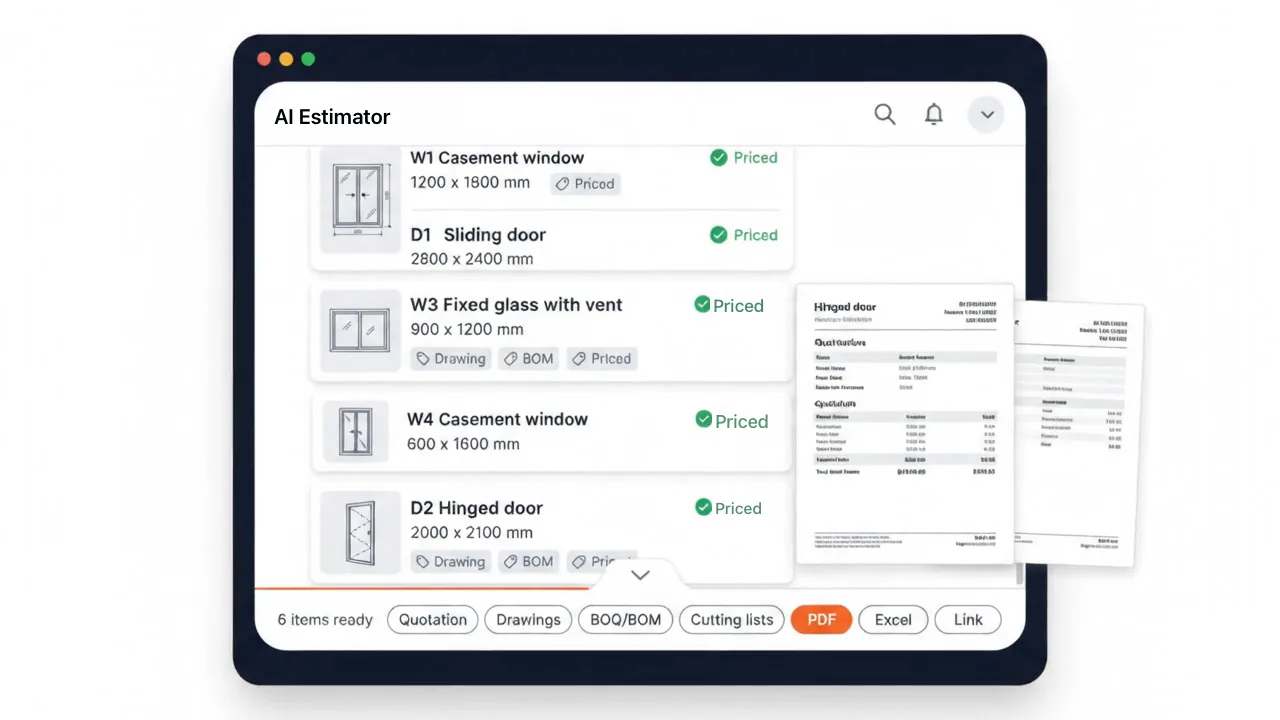
How it works
From a rough enquiry to the factory floor in four steps.
Your salesperson runs the first three in one conversation. The ERP carries the rest.
- 01
Attach anything
Sketch, floor plan, site photo, schedule, text or voice note.
- 02
Ask in plain words
Type it the way you would say it. Shorthand works.
- 03
Get every line item
Drawings, BOQ/BOM, cutting lists and the priced quotation, as PDF, Excel or a web link.
- 04
Run it through one ERP
The approved quotation becomes a project, purchase orders, work orders and invoices.
4 to 6 hoursminutes
- Requirement: sketch · photo · schedule · text
- AI Quotation: priced on your rate master
- Drawings: every quoted item
- BOQ / BOM: cutting lists · glass · hardware
- Production: work orders · job cards
- Purchase orders: vendors · goods receipt
Deploy your AI Estimator System for Exponential Growth.
Talk to our team about deploying CADBEATER for your products, your pricing and your production workflow.
Email sales@cadbeater.com